Why is it worth creating a stamp with our custom stamp maker?
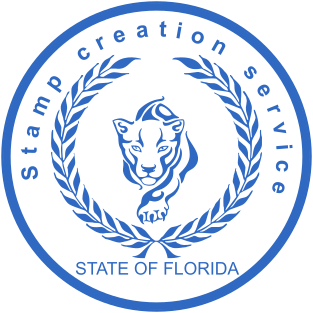
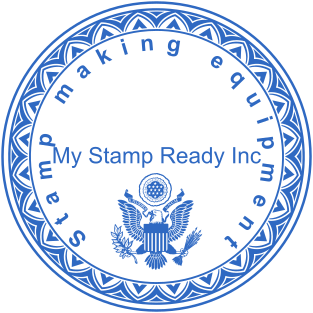
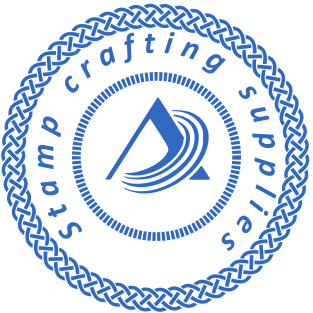
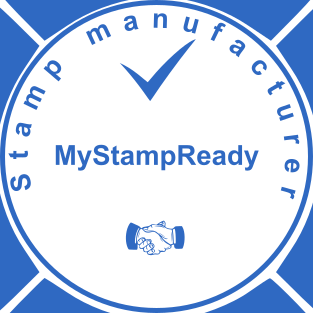
MyStampReady is a free custom stamp maker that allows you to create custom seals of any complexity — no design skills required. Our designer is intuitive and user-friendly, so anyone can get a high-quality, professional result without experience in design software or any program.Design your stamp online, save your layout at any time using the Save button, and return to editing whenever you need. Select the stamp shape — round, oval, triangular, or rectangular — and customize it in your own unique and creative style, including monogram, name, number, address, and sign designs.We support vector graphics, which means your image can be scaled to any size or dimensions without losing quality — perfect for both digital documents and physical stamp production.
Choose your download format:- PNG — transparent background, high resolution 600 dpi, ready for digital documents and imprint use
- SVG — vector format, ideal for scaling and physical stamp production
- EPS — professional vector format compatible with print services
- PDF — supported by all devices and programs
- DOCX — ready to insert directly into Word documents
Pricing starts from $2.5 — one-time payment, no subscription required.
How do I create a stamp online?
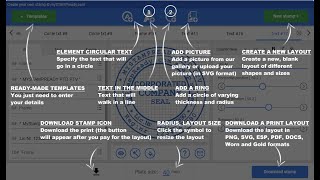
Creating your own seal with our free custom stamp maker takes just a few clicks — no installation required. Follow the instructions to create your stamp step by step: choose the type of stamp you need — round, oval, rectangular, or triangular — draw your design, upload a picture or logo for your stamp, and customize every element — shapes, lines, images, and text. Template and customize the shape, size, and style to make it truly unique. Download your file in minutes and get a professional result immediately.
What design options are available when creating a stamp?
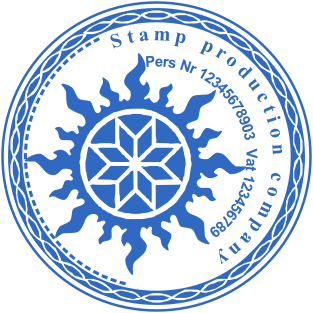
Our custom stamp designer gives you full control over your custom stamp design. Select the stamp shape — circle, oval, or rectangle — and set the size, height, border width, and outer dimensions. Choose fonts, colors, and styles, upload your logo, and adjust the border, icon, and text position precisely. Customize every element of your seal — from the border and icon to the central text and background. Adjust line thickness for better visibility and a cleaner stamp impression. Add multiple elements — images, icons, lines, and creative shapes — to generate a unique and exclusive seal design.
What file formats can I download and what is the quality?
Depending on your plan, you can download your file in PNG format, SVG, EPS, PDF, or DOCX format. All files are high resolution with a transparent background — ready for electronic documents, PDFs, and print immediately after download. You can preview your stamp for free and download a sample in PNG format — export your final design without watermarks after purchase.
Can I use a digital stamp to make a physical rubber stamp?
Yes. Our online platform lets you make a rubber stamp and design custom rubber layouts that are fully compatible with professional printing services. Send your SVG or EPS file to any rubber stamp maker to produce a physical rubber stamp by engraving, leaving a clear impression on any surface. Design one file online and use it both as a digital stamp and for traditional rubber stamp production — self-inking stamps or pre-inked stamps.
Can I edit my stamp after creating it?
Yes. If you need to change the font, color, style, or shape and size of a created design, simply return to the stamp designer and adjust. You can remove elements, add new icons or images, and position the new rubber text in the correct area. Replace the rubber text, update the layout, and generate a new version — nothing is permanent. Our online tool lets you refine your design until the result is perfect.
Why does my PNG stamp have a black background?
Your file actually has a transparent background — some devices display transparency as black. This is normal. Simply open the file in any image editor or paste it directly into your documents and the transparent background will display correctly. This applies to all stamp image files downloaded from our online platform.
Where can I use my digital stamp?
Digital stamps work across a wide range of industries — business, legal, medical, real estate, and more. Apply your custom stamp to documents, PDFs, Word files, letters, and certificates. You can also convert and export your SVG or EPS file to a rubber stamp maker to create a physical stamp for everyday use. Create custom stamps online in different styles and use them anywhere.
How do I create a rubber stamp online?
Use our free online stamp constructor to design your seal in just a few steps — select the stamp shape, add text, upload your logo, and adjust colors, fonts, and style. Add creative elements, icons, and images to make your design exclusive and unique. Your file is ready to export and download in minutes, with no design experience or program required.
Do I need graphic design skills to create a stamp?
Not at all. MyStampReady is built for everyone — beginners and professionals alike. The free custom stamp maker guides you through every step automatically. No CorelDRAW, Photoshop, or Illustrator needed — just open the tool and start creating.
Which online tool is best for creating a rubber stamp?
If you need to create a rubber stamp online without any design experience, MyStampReady is the right choice. Our free custom stamp maker combines a clean, user-friendly interface with powerful design tools — so you can generate and make stamps online in just a few clicks. Our platform includes unique features such as the vintage aging effect, a large library of ready-made templates, and full customization options for every element of your design. You can preview your stamp for free and download a sample in PNG format with a watermark — export your design without watermarks after purchase. Choose from a wide range of templates, customize your design, and get fast, simple, and professional results every time.
What is the difference between a stamp creator and a stamp generator?
A stamp creator is a graphic editor that allows you to easily design, view, and edit your stamp at any time. The user-friendly interface lets you create customized stamp designs in different styles without any professional program or software skills. You have full control over fonts, colors, branding, icons, images, and the final product.A stamp generator assumes minimal participation — you provide basic information such as name, number, or sign, and the tool generates a stamp design for you automatically. Both tools are available on our online platform with no additional software required.
Can I order a physical stamp using my digital file?
We sell digital files, so free shipping and returning physical stamps is not possible directly through our platform. However, your downloaded PNG, SVG, or EPS file can be used to place your order at any nearby manufacturer — including embossers and rubber stamp makers. You can use wood, metal, or plastic stamp bodies and handles, as well as ink pad and replacement parts for physical production. Turnaround time depends on your chosen manufacturer.Your stamp layout is saved and available for download at any time. Before purchasing, you get a clear preview of your final stamp image. Additional customization options include text plate editing, personalized rubber stamp designs, monogram stamps, address stamps, and stock certificates imprints.Our policy is fully focused on customer satisfaction. We offer affordable prices, a guarantee that your stamp image is ready to use immediately after purchase, and reserved rights to your design. If you have any questions about your order or the method of production, contact us by email.